Catch Hand Fixes on a Production Postgres Database With a Pinned Baseline
A shop runs its orders on Postgres. Migrations live in the repo and go out with each release. Then come the nights when they don’t: checkout is slow, someone adds an index on production by hand, someone else makes a column NOT NULL to stop bad rows, and the fixes work. Nobody writes them back into the migrations.
The default rolling baseline would report each of those changes once, in the next scan. That’s fine when someone reads every report. This team wanted more nagging than that. A hand fix should keep showing up until someone has decided about it, by writing the migration or by rolling the change back.
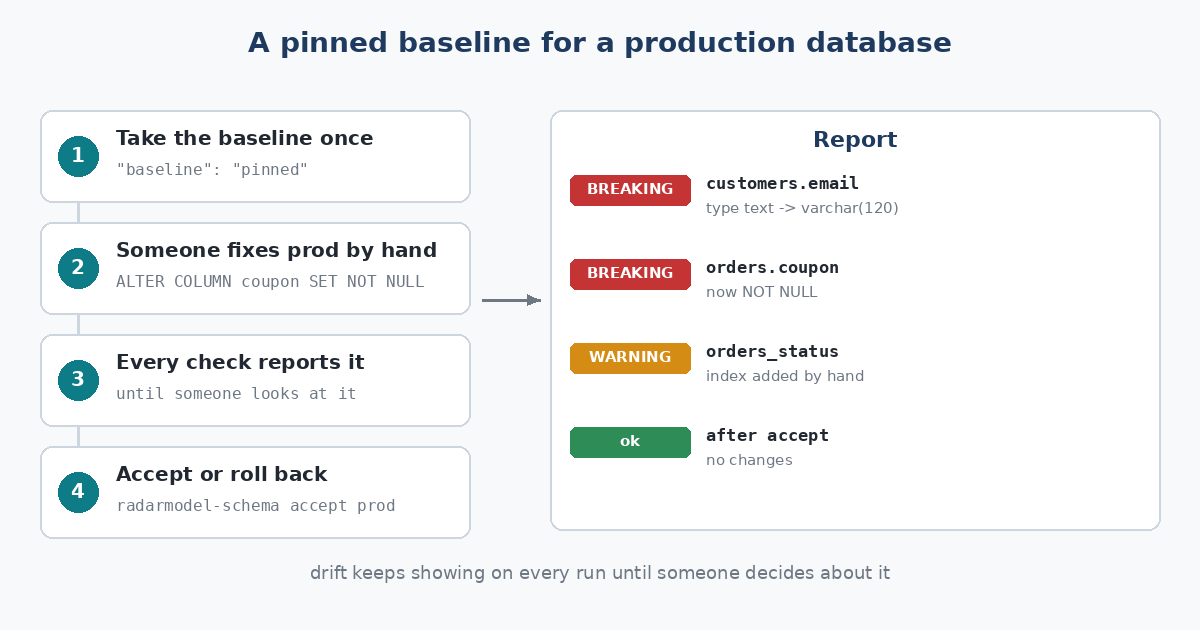
Drift stays on the report until someone decides.
The setup
{
  "databases": [
    {"name": "prod", "driver": "postgres", "dsn_env": "PROD_DATABASE_URL", "baseline": "pinned"}
  ],
  "alerts": {"min_severity": "warning", "slack": {"url_env": "SLACK_WEBHOOK_URL"}}
}
The database user only needs to connect: RadarModel Schema reads the Postgres catalog inside a read-only transaction and never writes.
Three changes nobody wrote down
These are the released binary’s runs against a real Postgres 16 database, after three changes made by hand with psql: an index, a SET NOT NULL and a narrower email column.
$ radarmodel-schema check
RadarModel Schema: 2 breaking, 1 warning
prod  BREAKING  column public.customers.email      type text -> character varying(120)
prod  BREAKING  column public.orders.coupon        nullable yes -> no (inserts without it now fail)
prod  WARNING   index public.orders.orders_status  new
The next check says exactly the same, and so does every check after it. That’s the pinned baseline doing its job. check exits 1 each time, so a pipeline that runs it before a deploy refuses to ship code that was tested against a schema production no longer has.
The coupon line is the one that would have hurt. The app’s checkout code still inserts orders without a coupon, so the next release would have started failing orders the moment it shipped.
Once the team has written the migration that matches, one command takes the schema as it is now:
$ radarmodel-schema accept prod
accepted the current schema of prod as the baseline
$ radarmodel-schema check
RadarModel Schema: no changes
prod  ok  no changes (20 items)
Why schema drift starts has the background, and the quick start the setup.