RadarModel Schema Launches to Catch Database Drift
RadarModel 0.2 adds a second command, radarmodel-schema. It reads the live schema of a Postgres, MySQL, MariaDB or SQLite database, keeps it, reads it again later and tells you what changed. A column dropped by hand, a type changed on production only, an index lost in a rebuild. It’s in the same download as RadarModel AI, open source under the Apache License 2.0, and the code is on GitHub.
Migration tools know what they applied. They don’t look at what’s actually in the database, and a change made around them stays invisible until something fails. RadarModel Schema looks. Why schema drift happens
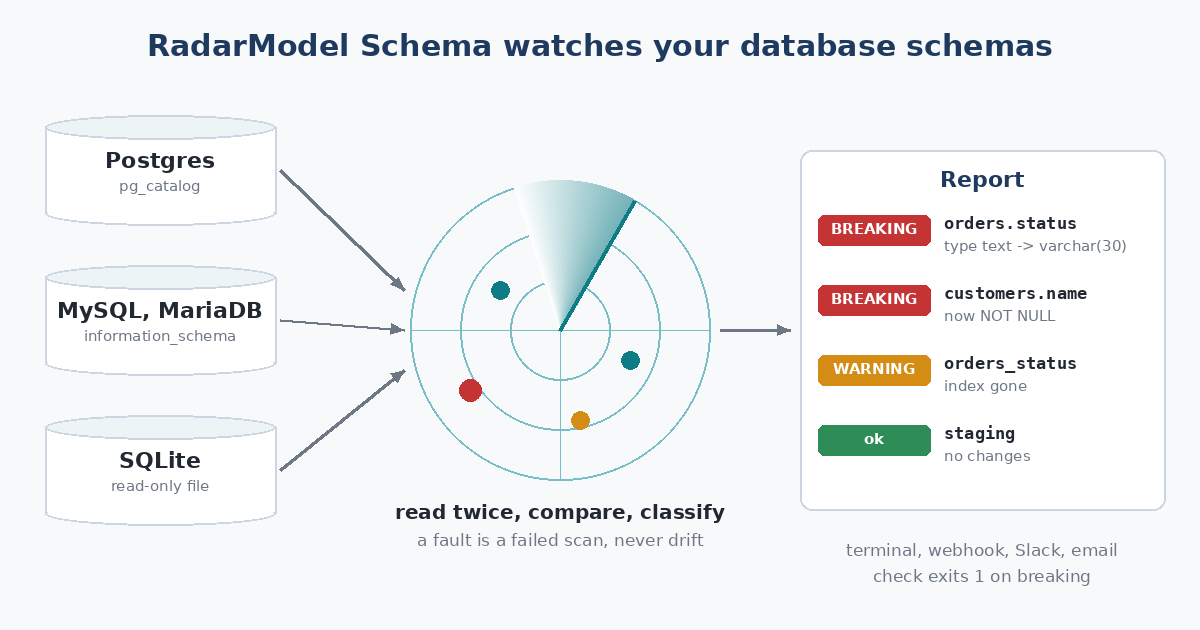
Three kinds of database in, one report out.
What’s in 0.2
- No migration tool needed. Point it at a database and the first scan is the baseline. It works the same whether you use Flyway, Alembic, Prisma, an ORM, or nothing.
- Severity that means something. A dropped table or column, a changed type, a new NOT NULL: breaking. A dropped index, a changed default or check, a disabled trigger: warning. A column that moved position: info.
- Two ways to keep a baseline. Rolling reports each change once. Pinned keeps reporting drift until someone runs
accept. - A diff between databases.
radarmodel-schema diff prod staginglists what differs right now, with schema names lined up when they differ. - Ignore rules. Globs such as
*.tmp_*keep scratch tables out of it, and adding one never looks like a drop. - The same outputs. Terminal, JSON, webhook, Slack and email, and
checkexits 1 on a breaking change, so it can stand in front of a deploy.
Read-only, and quiet when it should be
It never writes to the database. Postgres and MySQL are read inside read-only transactions, and SQLite files are opened read-only, so a wrong path is an error and never a new empty database.
The promise is the one RadarModel AI makes: never cry wolf. A lost connection, a wrong password, a scan that times out or a migration running mid-scan is a failed scan, and the stored snapshot stays as it was. So is a table that MySQL hides because a privilege was revoked. On Postgres, other session settings and revoked privileges don’t change what it reads at all. Connection strings come from environment variables and never show up in an error or an alert. How it was tested
What it asks of you
A database user that can read the catalog. On Postgres any role that can connect is enough. On MySQL and MariaDB it needs SELECT, SHOW VIEW and TRIGGER on the database it watches, because MySQL hides what a user can’t access and those are what let a dropped table be told apart from a hidden one.
Download RadarModel, then follow the quick start.